 Flowpin
Workshop minutes as a PDF: structure and template
No more typing up after the workshop if the minutes come together during the session. Here's how good workshop minutes are structured, and how Flowpin creates them.
What belongs in workshop minutes
- Details: topic, client or department, date, participants.
- Tasks: what needs doing, open and done, ideally linked to the process step.
- Notes: what was discussed, in the order of the session.
- Photos: flipcharts and whiteboards, straightened and readable.
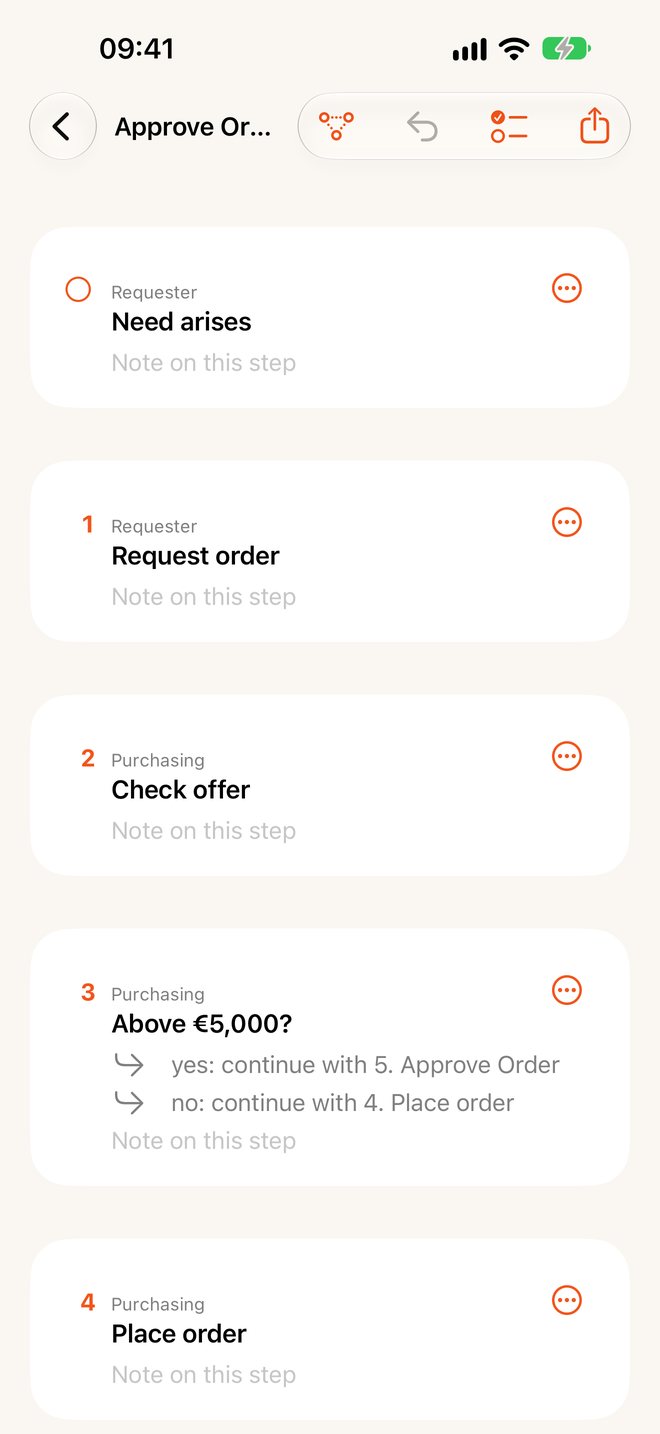
- Processes: the diagram and the same flow as a numbered list of steps, so people who don't know BPMN can read it too.
One tap: minutes from Flowpin
Everything you capture in the workshop lives in one folder. "Minutes (PDF)" in the title menu or at the bottom of the sidebar creates a document in exactly this order: details, open and completed tasks, all note, photo and process pages, each process with its flow. Send the PDF by mail right away or file it.
Tips for better minutes
- Create tasks during the session and point to the step with "@": the minutes then show the task at that step.
- Keep participants in the details, not in the running text.
- Before sending, go through the workshop's task list and tick off what's done.
More on running the session: process mapping workshop.
Flowpin is free for iPhone, iPad and Mac, with no account and no server.
Download on the App StoreAll guides